


Forrester: Companies regret many AI-related layoffs

What are ‘Background Security Improvements’ on Apple devices?
How Volunteering at TECHSPO Technology Expo Can Jumpstart Your Career
For tech professionals, maintaining a competitive edge is imperative. Participating in industry events emerges as a strategic approach to networking and staying abreast of technological advancements. The TECHSPO Technology Expo, an integral component of the esteemed DigiMarCon conference series, exemplifies this opportunity.
Contributing to TECHSPO affords you the chance to interact with industry luminaries, acquire knowledge on emerging technologies, and broaden your professional network. This engagement can significantly propel your career, providing invaluable hands-on experience and forging critical connections.
Discovering new opportunities is the core mission of TECHSPO . As a cornerstone of DigiMarCon, it serves as a unique conduit for professional development.
What Makes TECHSPO Technology Expo a Career Catalyst
TECHSPO Technology Expo has emerged as a preeminent event within the tech sphere, drawing professionals from every corner of the globe. As a cornerstone of a global conference series, it offers a distinctive amalgamation of innovation, networking, and educational opportunities. These elements collectively serve to significantly elevate a tech professional’s career trajectory.

As a global event with a diverse attendee base, TECHSPO Technology Expo serves as a nexus where tech aficionados can engage with industry stalwarts, explore cutting-edge technologies, and uncover novel career avenues. Its global influence and accessibility render it an exemplary venue for networking and knowledge acquisition.
The Global Impact and Reach of TECHSPO
TECHSPO Technology Expo transcends the confines of a local gathering, being an integral part of a global conference series that spans multiple cities worldwide. This international footprint ensures a diverse assembly of attendees, encompassing industry veterans and tech aficionados alike. A tech industry luminary opined, “Global tech events like TECHSPO are indispensable for cultivating innovation and cross-border collaboration.”
“The global scope of TECHSPO facilitates a rich exchange of ideas and technologies, positioning it as a prime destination for tech professionals seeking to broaden their vistas.”
The global dimension of TECHSPO also affords attendees a broad spectrum of perspectives and insights, rendering it an invaluable experience for those aspiring to ascend in the tech domain.
Why Tech Professionals Flock to This Premier Event
Tech professionals are attracted to TECHSPO Technology Expo for several compelling reasons. Firstly, the event provides unparalleled networking opportunities with industry luminaries and peers. Secondly, it grants access to the most recent technological advancements and trends, enabling attendees to remain at the forefront of the industry. Lastly, volunteering at TECHSPO can be a strategic career advancement move, affording hands-on experience and invaluable connections.
- Networking opportunities with industry leaders
- Access to the latest technologies and trends
- Hands-on experience through volunteering
- Valuable connections for career advancement
By participating in and volunteering at TECHSPO Technology Expo, tech professionals gain entry into a global community that is propelling innovation and transformation within the tech sector.
Volunteering at TECHSPO Technology Expo: A Gateway to Opportunity
Engagement in TECHSPO ‘s volunteer program opens a portal to a multitude of opportunities, significantly bolstering one’s career trajectory. This endeavor not only affords participation in a vibrant event but also serves as a conduit for interaction with industry stalwarts, innovators, and peers of similar professional inclinations.
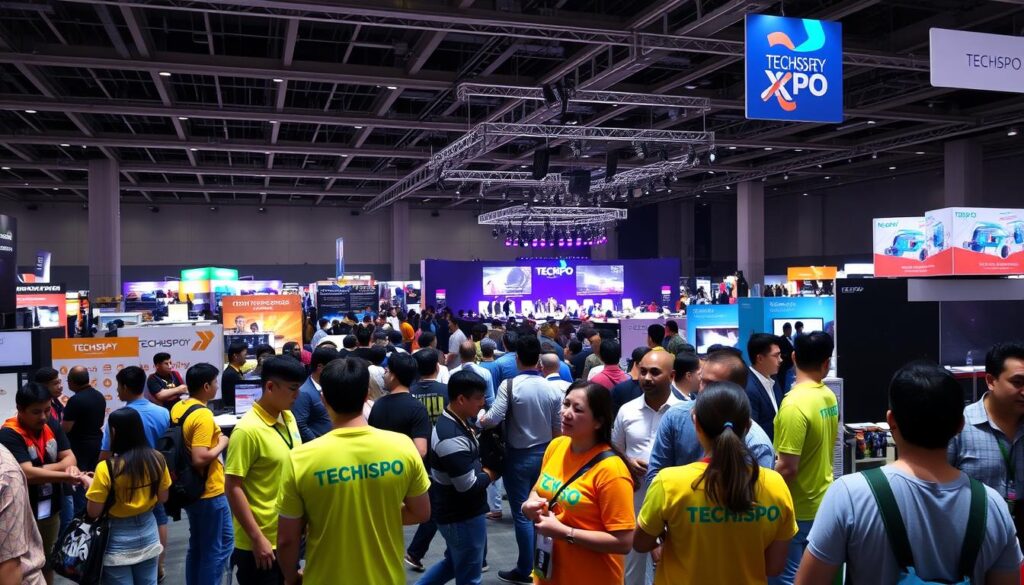
Building Your Professional Network Through Volunteer Engagement
Participation in TECHSPO Technology Expo facilitates the construction of a substantial professional network. Through interactions with attendees, presenters, and fellow volunteers, one cultivates relationships that may evolve into collaborative ventures or career advancement opportunities.
The expo’s extensive array of activities and sessions offers numerous avenues for networking with professionals from diverse tech industry segments. Whether your interests lie in software development, AI, or cybersecurity, you will encounter individuals with similar professional aspirations.
Gaining Insider Access to Cutting-Edge Technologies
One of the primary advantages of volunteering at TECHSPO is the opportunity to gain direct access to the most advanced technologies and innovations. As a volunteer, you will have the privilege of exploring exhibition stands, attending workshops, and participating in product unveilings, affording you a unique glimpse into the future of technology.
This exposure is invaluable for maintaining a competitive edge in your career, whether you seek to acquire new competencies or remain abreast of the latest industry developments.
Developing Soft Skills That Employers Covet
Volunteering at TECHSPO also enables the acquisition of critical soft skills that employers highly esteem. Skills such as communication, teamwork, problem-solving, and adaptability are refined through practical application in a real-world context.
By assuming diverse roles and working under the mentorship of seasoned professionals, you will have the opportunity to showcase your capabilities and compile a portfolio of skills that can be presented to prospective employers.
Available Volunteer Roles and Responsibilities at TECHSPO
TECHSPO Technology Expo presents a plethora of volunteer opportunities for individuals aspiring to immerse themselves in the tech sector. This encompasses a broad spectrum, from students and professionals in transition to tech enthusiasts. Each category finds a suitable role within the event’s framework.
Registration and Check-In Team Positions
The registration and check-in team serves as the initial interface for attendees, rendering it indispensable to the TECHSPO experience. Volunteers in this capacity are entrusted with overseeing the registration desk, addressing attendee inquiries, and facilitating a seamless check-in process.
Key responsibilities encompass:
- Assisting attendees with registration and check-in
- Providing information about the event schedule and layout
- Resolving any issues that may arise during the check-in process
Technical Support and AV Assistance Roles
TECHSPO ‘s operational success hinges on its technological infrastructure. Volunteers with technical acumen are indispensable in ensuring the event’s smooth execution.
Responsibilities include:
- Setting up and testing audiovisual equipment
- Troubleshooting technical issues during presentations and demonstrations
- Assisting speakers and presenters with their technical needs
Speaker and VIP Liaison Opportunities
As a speaker or VIP liaison, you’ll engage with industry luminaries and innovators. Your role entails ensuring that speakers and VIP guests receive requisite support during their tenure at TECHSPO .
Key duties include:
- Coordinating with speakers and VIP guests to understand their needs
- Assisting with speaker introductions and ensuring they have the necessary materials
- Providing VIP guests with personalized support and information
Social Media and Content Creation Volunteers
TECHSPO offers opportunities for those with a penchant for social media or content creation to contribute to event promotion and online engagement.
Responsibilities may include:
- Creating and scheduling social media posts to promote the event
- Capturing content during the expo to share on social media channels
- Engaging with attendees online to build a community around TECHSPO
Volunteering at TECHSPO not only contributes to the event’s success but also affords invaluable experience and industry connections. Whether your interest lies in technical support, registration, or social media management, TECHSPO offers a volunteer role tailored to your aspirations.
How to Apply and Secure a Volunteer Position at TECHSPO
The initiation of volunteering at TECHSPO necessitates a comprehension of the application and selection methodologies. To attain a volunteer position, it is imperative to be cognizant of the fundamental steps and the associated timelines.
Application Timeline and Important Deadlines
The volunteer application process for TECHSPO typically commences several months prior to the event. It is imperative to consult the official TECHSPO website for the precise application timeline and important deadlines. Noting these dates in your calendar will prevent the omission of the application opportunity.
To provide an initial framework, the following is a general outline:
- Application opens: 4-6 months before the event
- Application closes: 6-8 weeks before the event
- Interviews conducted: 4-6 weeks before the event
- Selection notifications sent: 2-4 weeks before the event
Creating a Standout Volunteer Application
When applying to volunteer at TECHSPO , your application must emphasize your pertinent skills and experiences. Customize your application to the specific role you aspire to, illustrating the congruence of your skills with the event’s requirements.
A distinguished application encompasses:
- A succinct and clear personal statement detailing your motivation for volunteering
- Relevant experience or skills directly applicable to the volunteer position
- Professional references or recommendations, if necessitated
Interview Process and Selection Criteria
Upon successful application, you will be invited to an interview as part of the selection process. This phase serves as an opportunity for the TECHSPO team to evaluate your aptitude for the volunteer role and for you to garner insights into the event.
To excel in the interview, prepare to discuss your:
- Motivation for volunteering at TECHSPO
- Relevant skills and experiences
- Capacity to function as a team member and adapt to a dynamic environment
By grasping the application timeline, crafting an impactful application, and excelling in the interview, your prospects of securing a volunteer position at TECHSPO will be significantly augmented.
Preparing for Your TECHSPO Volunteer Experience
Embarking on the journey of volunteering at TECHSPO necessitates the cultivation of specific competencies, a thorough comprehension of the event’s spatial arrangement, and a readiness for the assigned responsibilities. This preparatory phase is instrumental in guaranteeing a fruitful and gratifying experience, positioning you advantageously for future engagements within the tech sector.
Essential Skills to Develop Before the Event
To maximize the value of your volunteer engagement at the techspo expo, it is imperative to hone relevant skills prior to the event. Key competencies include:
- Communication and teamwork skills
- Technical skills pertinent to your designated role
- Problem-solving and adaptability
Acquiring these skills will empower you to adeptly manage the event’s demands, leaving a lasting positive impression on both attendees and organizers.
Understanding the TECHSPO Schedule and Layout
Acquaintance with the TECHSPO schedule and layout is critical for achieving volunteer success. This entails grasping the event’s timeline, identifying the locations of critical areas such as registration, exhibition halls, and speaker rooms, and being cognizant of any specific regulations or protocols.
By mastering the layout and schedule, you will navigate the event seamlessly, ensuring timely presence in key locations, and delivering optimal support to attendees and exhibitors.
Packing and Preparation Tips for Volunteers
To guarantee your readiness for the TECHSPO volunteer role, it is vital to assemble the appropriate items and prepare adequately for the event. Some preparatory measures include:
- Donning comfortable attire and footwear
- Carrying essentials such as water, snacks, and a portable charger
- Retaining a copy of your schedule and contact details for the organizing team
Through meticulous preparation, you will be able to concentrate on delivering an outstanding experience for attendees, maximizing your time at the event.
Maximizing Networking Opportunities While Volunteering
Engagement in TECHSPO ‘s volunteer program places you at the epicenter of the tech sector, amidst a plethora of collaborators and employers. This vantage point empowers you to harness techspo expo volunteer opportunities for professional progression.
As a volunteer, you gain access to a broad spectrum of professionals, encompassing industry stalwarts and prospective employers. To fully capitalize on these volunteer benefits at techspo expo, a strategic mindset is imperative.
Strategic Networking: Who to Connect With and How
Effective networking at TECHSPO necessitates the identification of key individuals and groups for connection. Consider the following strategies:
- Research speakers and attendees beforehand to pinpoint prospective contacts.
- Opt for volunteer roles that facilitate direct interaction with industry professionals, such as registration or speaker liaison positions.
- Engage in conversations during the event, posing insightful questions to initiate profound discussions.
Crafting Your Perfect Elevator Pitch for TECHSPO
A meticulously crafted elevator pitch is vital for leaving a lasting impression at TECHSPO . Your pitch should succinctly articulate your professional identity, spotlighting your competencies and interests. Here are some guidelines:
- Initiate with a compelling opening that captures attention.
- Explicitly articulate your professional background and objectives.
- Conclude with a call to action, such as exchanging contact details.
Following Up with Contacts After the Event
The networking endeavor does not conclude with TECHSPO ‘s conclusion. The act of following up with your new contacts is indispensable for cultivating enduring relationships. Consider the following:
- Dispatch a personalized email or LinkedIn message within a week of the event.
- Refer to specific conversations or shared interests to re-establish context.
- Propose a follow-up meeting or call to further explore collaborative possibilities.
By adopting these strategies, you can transform your tech conference volunteer opportunities into significant connections, driving your career advancement.
Turning Your TECHSPO Volunteer Experience into Career Advancement
The experience and connections derived from volunteering at TECHSPO can serve as a catalyst for career progression. As a volunteer, you integrate into a distinguished event, drawing in tech professionals and industry leaders globally.
Adding TECHSPO to Your Resume and LinkedIn Profile
Emphasizing your TECHSPO volunteer experience on your resume and LinkedIn profile can significantly enhance your visibility to prospective employers. It showcases your proactive stance towards career development and your engagement with the tech community.
When incorporating TECHSPO into your resume, ensure to:
- Detail your role and responsibilities as a volunteer
- Highlight any skills you developed or utilized during the event
- Quantify your achievements, such as the number of attendees you interacted with or the success of the events you helped organize
Leveraging Your Experience in Job Interviews
Your TECHSPO volunteer experience can be a valuable asset in job interviews. It demonstrates your capability to thrive in a fast-paced environment, manage multiple tasks, and interact with diverse groups.
To effectively leverage this experience:
- Prepare examples of your accomplishments and challenges faced during TECHSPO
- Emphasize the skills you developed that are relevant to the job you’re applying for
- Discuss how your experience at TECHSPO has prepared you for the role and how you can contribute to the organization
Using TECHSPO Connections for Job Referrals
The connections forged at TECHSPO can be a powerful resource for job referrals. Networking with industry professionals, speakers, and other volunteers can lead to valuable recommendations and insider information about job openings.
To maximize the value of your TECHSPO connections:
- Follow up with new contacts after the event to maintain relationships
- Engage with TECHSPO alumni on professional networking platforms
- Leverage these connections to get referrals or advice on job opportunities
Continuing Education Opportunities Discovered at TECHSPO
TECHSPO is not merely an event; it is a gateway to discovering continuing education opportunities. From workshops to keynote speeches, attendees are exposed to the latest trends and technologies in the tech industry.
To continue your education:
- Take note of the sessions and workshops that interest you the most
- Research the presenters and their organizations for possible collaboration or learning opportunities
- Utilize the connections you made to inquire about additional training or certification programs
Success Stories: How TECHSPO Volunteering Launched Careers
The TECHSPO Technology Expo has emerged as a transformative platform for tech enthusiasts and professionals, serving as a catalyst for successful tech careers. It offers a unique opportunity to engage with the latest technological advancements, foster professional networks, and acquire invaluable experience through its volunteer program.
From Volunteer to Tech Industry Leader
Transitioning from volunteer to tech industry leader is a narrative echoed by several individuals. Their journeys underscore the profound impact of volunteering at TECHSPO , highlighting the career growth and experiential value derived from such endeavors. Notably, some have secured full-time roles at premier tech companies, leveraging their dedication and skills showcased during the event.
Key takeaways from their experiences include:
- Developing a strong network of contacts within the industry
- Gaining insights into the latest technological advancements
- Enhancing soft skills such as communication and teamwork
Landing Dream Jobs Through TECHSPO Connections
TECHSPO has been instrumental in facilitating the acquisition of dream jobs for numerous attendees. It serves as a nexus for talent and opportunity, enabling volunteers to demonstrate their technological prowess and passion. By participating in the TECHSPO expo’s volunteer program, individuals significantly enhance their visibility to leading tech companies.
The event’s connections have resulted in job offers, internships, and collaborative projects on innovative ventures. TECHSPO ‘s volunteer program is meticulously designed to cultivate these connections, providing a conduit for aspiring professionals to engage with industry stalwarts.
Entrepreneurial Success Stories Born at TECHSPO
TECHSPO has been the incubator for several entrepreneurial ventures. Volunteers have been inspired by the technologies and trends presented at the expo, leading to the inception of innovative startups. The insights and experience garnered during volunteering have been critical in shaping these entrepreneurial endeavors.
“TECHSPO was the catalyst for our startup. The connections we made and the technologies we were exposed to during our volunteering experience were instrumental in our journey.”
Career Pivots Inspired by TECHSPO Experiences
For some, volunteering at TECHSPO has been a transformative experience, prompting a career pivot into the tech industry. The hands-on experience and exposure to cutting-edge technologies have motivated many to transition into new roles or industries, leveraging the skills and confidence gained during their time at TECHSPO .
By becoming a volunteer at TECHSPO expo, individuals not only contribute to the event’s success but also open themselves up to a plethora of opportunities in the tech sector. The tech volunteer positions at TECHSPO expo offer a unique vantage point at the forefront of technological innovation.
Conclusion: Taking the First Step Toward Your Tech Career Breakthrough
Engagement in TECHSPO Technology Expo’s volunteer initiatives represents a strategic pivot for aspirants in the tech sector. Such involvement affords direct exposure to industry practices, facilitates the expansion of professional networks, and provides a vantage point for understanding current technological advancements.
The array of advantages derived from volunteering at TECHSPO is extensive, encompassing the refinement of soft skills and access to state-of-the-art technologies. As a volunteer, one becomes a critical component of the event’s triumph, collaborating with industry stalwarts and innovators.
To fully capitalize on the volunteer opportunities at techspo expo, initiating the application process is imperative. This action not only contributes to the success of a leading tech event but also propels personal career advancement. Do not overlook this opportunity to enhance your professional trajectory – submit your application to volunteer at TECHSPO and embark on a transformative journey in your tech career.
FAQ
What is TECHSPO Technology Expo, and how can volunteering there benefit my career?
TECHSPO Technology Expo, a cornerstone of the DigiMarCon conference series, serves as a nexus for industry luminaries, a crucible for technological innovation, and a fertile ground for professional networking. Volunteering at this event affords you direct exposure to cutting-edge technologies, invaluable connections, and potentially, a springboard to new career vistas.
What kind of volunteer roles are available at TECHSPO Technology Expo?
TECHSPO proffers a diverse array of volunteer positions, ranging from registration and check-in to technical support and social media management, accommodating a broad spectrum of skills and interests.
How do I apply to volunteer at TECHSPO Technology Expo?
To secure a volunteer position, it is imperative to navigate the application process adeptly. This entails a thorough understanding of the application timeline, the creation of a compelling application, and the acing of the interview process.
How can I make the most of my TECHSPO volunteer experience?
To optimize your volunteer experience, it is advisable to hone essential skills, grasp the event’s schedule, and prepare thoroughly. Such preparation ensures a seamless and productive experience, facilitating the maximization of networking opportunities.
Can volunteering at TECHSPO really help me advance my career?
Absolutely, your volunteer experience at TECHSPO can significantly bolster your career trajectory. It is advisable to showcase this experience on your resume and LinkedIn profile, leverage it during job interviews, and utilize your connections for job referrals. This translation of volunteer experience into tangible career benefits can be transformative.
What are some tips for maximizing networking opportunities while volunteering at TECHSPO ?
To maximize networking opportunities, it is strategic to identify key contacts, craft a persuasive elevator pitch, and follow up with these contacts post-event. This approach can significantly enhance your networking efficacy, potentially opening doors to new career prospects.
Are there any success stories of individuals who have volunteered at TECHSPO and gone on to achieve career success?
Yes, numerous success stories attest to the career-launching and career-advancing capabilities of TECHSPO . These narratives detail individuals’ ascension to tech industry leadership and attainment of dream jobs, underscoring the profound impact of the connections and experiences garnered through TECHSPO volunteering.
How can I continue my education and professional development after volunteering at TECHSPO ?
TECHSPO offers a plethora of continuing education opportunities. Leveraging your experience and connections can facilitate further learning and professional advancement.
What is the global impact of TECHSPO Technology Expo, and how can volunteering contribute to my global professional network?
As part of a global conference series, TECHSPO attracts tech professionals from around the world. Volunteering at TECHSPO allows you to tap into this global community, potentially broadening your career prospects and expanding your professional network on a global scale.
The Ultimate Exhibitor Guide to TECHSPO Technology Expo
Did you know that over 10,000 industry professionals attend the DigiMarCon Conference, with a significant portion visiting the TECHSPO Technology Expo? This expo is a hub for the latest innovations and technologies.
As a part of this prestigious event, being prepared as an exhibitor can make all the difference in achieving trade show success. The TECHSPO Technology Expo offers a unique platform for businesses to connect with clients and showcase their products.
To maximize your impact, it’s essential to have a well-planned strategy. This guide will provide you with valuable insights on how to make the most out of your participation in the TECHSPO Technology Expo.
What is TECHSPO and Why Exhibit There?
TECHSPO Technology Expo is a preeminent gathering, attracting industry luminaries and professionals from vanguard brands. It serves as a critical platform for technological innovation, affording businesses a singular opportunity to unveil their most recent breakthroughs.
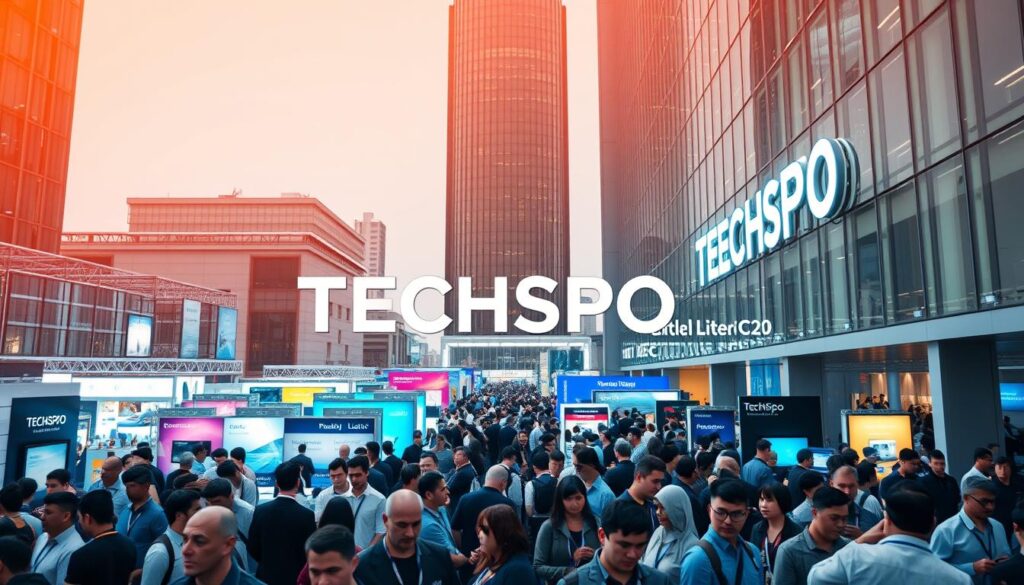
Overview of TECHSPO Technology Expo
TECHSPO distinguishes itself by drawing a broad spectrum of attendees, encompassing industry stalwarts and prospective clients. It stands as a nexus for the most current technological paradigms, furnishing exhibitors with a holistic platform to exhibit their offerings.
Benefits of Exhibiting at TECHSPO
Exhibiting at TECHSPO proffers manifold advantages, including the opportunity to network with industry elites, cultivate leads, and augment brand prominence. By adhering to techspo exhibitor tips, enterprises can optimize their investment returns. Thorough techspo trade show preparation is imperative for distinguishing oneself amidst competitors and securing success at the event.
Industry connoisseurs aver that “participation in TECHSPO can be transformative for entities aspiring to broaden their footprint within the tech sector.”
“The expo offers a singular chance to forge connections with prospective clients and display the most advanced technological innovations.”
Target Audience and Attendee Demographics
The TECHSPO audience comprises a vast array of professionals, ranging from IT managers to entrepreneurs. Grasping the demographics of attendees enables exhibitors to refine their marketing tactics, ensuring effective engagement with their target demographic.
By participating in TECHSPO , enterprises can leverage this diverse audience to fulfill their marketing objectives. With meticulous planning and execution, exhibitors can maximize their engagement within the event.
The Ultimate Exhibitor Guide to TECHSPO : Planning Timeline
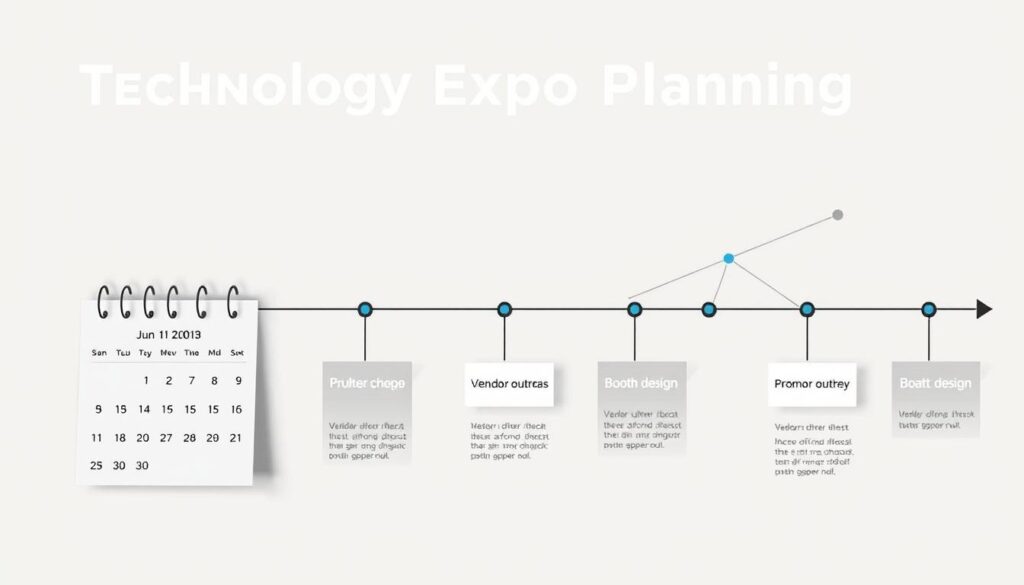
To achieve maximum impact at TECHSPO , an early start in planning is imperative. A detailed planning timeline is essential, covering all facets of your exhibition strategy, from booth design to marketing initiatives.
6-12 Months Before the Event
Initiating early planning is vital for a successful TECHSPO exhibition. Begin by finalizing your booth design to ensure it reflects your brand identity. Develop techspo marketing strategies to generate excitement about your participation. Secure your booth location early to guarantee a favorable position.
- Define your exhibition goals and objectives
- Develop a preliminary marketing plan
- Secure booth space and negotiate pricing
3-6 Months Before the Event
As the event draws near, refine your marketing strategies and initiate their execution. Finalize your booth design and arrange for its construction or setup. Promote your participation through various channels, including social media and email marketing.
- Launch pre-show marketing campaigns
- Coordinate logistics for booth setup
- Train your sales team on lead generation techniques
1-3 Months Before the Event
In the final months, focus on intensifying your marketing efforts. Confirm all logistical arrangements, including booth construction and equipment rental. Prepare your sales team with necessary training and materials.
- Intensify social media and email marketing campaigns
- Finalize booth logistics and setup
- Prepare sales materials and collateral
Final Weeks and Days Before TECHSPO
In the final weeks, review and finalize all preparations. Confirm booth setup details, review your marketing plan, and ensure your sales team is prepared. Make any necessary adjustments to your strategy based on feedback and performance metrics.
Securing Your Spot: Registration and Booth Selection
The essence of a triumphant TECHSPO experience hinges on a profound comprehension of booth selection and registration nuances. Mastery over these aspects guarantees exhibitors’ ability to present their offerings to the intended demographic with utmost efficacy.
Understanding Booth Options and Pricing Tiers
TECHSPO proffers a spectrum of booth configurations, tailored to accommodate diverse exhibitor prerequisites and fiscal capacities. The tiered pricing structure is crafted to offer adaptability, empowering exhibitors to select the most congruent option for their promotional endeavors. When deliberating on booth selection, it is imperative to consider variables such as location, dimensions, and the nature of exhibits intended for display. Thorough examination of booth configurations and pricing tiers is indispensable for making a decision that resonates with your TECHSPO objectives.
Strategic Booth Location Selection for Maximum Traffic
The locale of your booth exerts a profound influence on your visibility and visitor count at TECHSPO . Strategic booth placement adjacent to high-traffic zones or synergistic enterprises can significantly augment your exhibitor experience. It is advisable to contemplate the attendee traffic flow and the vicinity to critical event elements when determining your booth’s location. Such an approach can substantially elevate your prospects of captivating prospective clients and cultivating leads.
Registration Deadlines and Documentation Requirements
Awareness of registration deadlines and obligatory documentation for TECHSPO is critical to circumvent last-minute hurdles. Timely registration guarantees the reservation of your booth and facilitates the receipt of all requisite materials and directives. Exhibitors must also be prepared to furnish specific documentation, encompassing product details and branding materials, to streamline the setup process. Consultation of the TECHSPO exhibitor checklist is advisable to ensure the compilation of all necessary elements for a successful event.
By grasping booth configurations, opting for a strategic location, and adhering to registration deadlines, exhibitors can position themselves for success at TECHSPO . Further, exploration of techspo sponsorship opportunities can augment your event’s presence and visibility.
TECHSPO Booth Design Ideas That Attract Visitors
TECHSPO booth design ideas that attract visitors often incorporate innovative trends, interactive elements, and effective branding strategies. A well-designed booth is critical for capturing the attention of prospective clients and distinguishing your brand from competitors.
Innovative Booth Design Trends for Technology Expos
The latest booth design trends for technology expos like TECHSPO focus on creating immersive experiences. This includes the use of augmented reality (AR) and virtual reality (VR) to engage attendees. Modern booths also incorporate sustainable materials and energy-efficient lighting to appeal to environmentally conscious visitors.
Interactive Elements to Engage Attendees
Interactive elements are key to engaging attendees and encouraging them to spend more time at your booth. Some effective strategies include:
- Product demonstrations and hands-on experiences
- Interactive quizzes and gamification
- Live presentations and workshops
These elements not only attract visitors but also provide valuable opportunities for lead generation and brand engagement.
Branding Your Booth Effectively
Effective branding is essential for creating a lasting impression at TECHSPO . This involves consistent use of your brand’s visual identity, including logos, color schemes, and typography. Clear and compelling messaging that communicates your brand’s value proposition is also critical.
Case Studies: Successful TECHSPO Booth Designs
Several exhibitors have successfully implemented innovative booth designs at TECHSPO . For example, a leading tech company used AR to create an immersive product demo, resulting in a significant increase in visitor engagement. Another exhibitor effectively used gamification to attract attendees, leading to a substantial number of new leads.
Pre-Show Marketing Strategies for TECHSPO Exhibitors
To maximize your TECHSPO experience, it is imperative to execute effective pre-show marketing strategies. These efforts can significantly enhance your visibility and attract a greater number of visitors to your booth.
Digital Marketing Campaigns to Build Anticipation
Generating excitement around your TECHSPO participation is essential. Employ digital marketing campaigns to foster anticipation among prospective attendees. This encompasses:
- Targeted social media ads
- Email marketing campaigns
- Influencer partnerships
These tactics will facilitate broader audience reach and generate excitement for your offerings.
Leveraging Social Media for TECHSPO Promotion
Social media serves as a potent tool for promoting your TECHSPO presence. Leverage platforms such as LinkedIn, Twitter, and Facebook to:
- Share updates on your products or services
- Post behind-the-scenes content
- Engage with prospective attendees
This approach aids in cultivating a brand community and amplifying your event visibility.
Email Marketing Strategies for Attendee Engagement
Email marketing is a highly effective means of engaging attendees pre-show. Design targeted email campaigns to:
- Invite attendees to visit your booth
- Share exclusive content or offers
- Provide updates on your products or services
This strategy fosters a relationship with prospective customers, increasing the likelihood of converting them into leads.
Pre-Scheduling Meetings with Prospective Clients
Pre-scheduling meetings with prospective clients is a strategic approach to optimize your TECHSPO experience. Utilize your pre-show marketing endeavors to:
- Invite prospective clients to meet at the event
- Schedule demos or presentations
- Discuss business opportunities
This method ensures the most efficient use of your TECHSPO time, generating high-quality leads.
TECHSPO Sponsorship Opportunities and Their ROI
TECHSPO presents a spectrum of sponsorship avenues, meticulously crafted to amplify your brand’s visibility and ROI. These opportunities are designed to significantly boost your engagement with prospective clients, ensuring a profound impact on your brand’s presence.
Available Sponsorship Packages and Benefits
TECHSPO offers a variety of sponsorship packages, each tailored to fulfill distinct exhibitor objectives. These packages encompass a multitude of benefits, including brand promotion, access to attendee lists, and speaking opportunities. By meticulously selecting the most suitable package, exhibitors can optimize their ROI.
The key advantages of TECHSPO ‘s sponsorship packages include:
- Enhanced brand visibility through strategic event marketing channels
- Exclusive access to networking opportunities
- Augmented credibility through association with a distinguished event
Choosing the Right Sponsorship Level for Your Goals
Opting for the correct sponsorship level is imperative to realizing your event objectives. Consider your target audience, budget, and desired outcomes when selecting a sponsorship package. TECHSPO ‘s sponsorship options are crafted to be adaptable, enabling exhibitors to choose the level that best aligns with their objectives.
“Sponsorship can significantly enhance an exhibitor’s visibility and ROI.” This is a critical factor to consider when planning your TECHSPO participation.
Maximizing Visibility Through Strategic Sponsorships
To optimize your visibility at TECHSPO , consider strategic sponsorship opportunities such as lunch sponsorships, keynote sponsorships, or exhibition area sponsorships. These high-impact sponsorships can distinguish you from competitors and draw more visitors to your booth.
By judiciously selecting and leveraging TECHSPO ‘s sponsorship opportunities, exhibitors can achieve a substantial return on investment and enhance their brand’s presence at the event.
Comprehensive TECHSPO Exhibitor Checklist
The success of an exhibitor at TECHSPO is predicated upon meticulous preparation, encapsulated within a detailed checklist. The meticulous organization of all aspects will significantly enhance both performance and experience at the event.
Booth Setup and Logistics Checklist
Efficient booth setup necessitates attention to several critical elements:
- Booth layout and design
- Table and chair arrangements
- Lighting and electrical requirements
- Storage for promotional materials
- Staff check-in and registration process
Confirm booth logistics with TECHSPO organizers in advance to circumvent last-minute complications.
Marketing Materials and Collateral Checklist
Proper marketing materials are imperative for visitor attraction and brand promotion:
- Brochures and flyers
- Business cards and contact information
- Promotional giveaways and branded items
- Product demonstrations and interactive displays
- Press releases and media kits
It is essential that all marketing materials are professionally designed and congruent with your brand identity.
Technology and Equipment Checklist
Effective product and service demonstration necessitates the deployment of appropriate technology and equipment:
- Tablets and laptops for demonstrations
- Power supplies and backup batteries
- AV equipment for presentations
- Internet connectivity and Wi-Fi access
- Backup plans for technical issues
Test all equipment prior to the event to guarantee optimal functionality.
Staffing and Training for TECHSPO Success
The essence of a triumphant TECHSPO exhibition lies in a meticulously trained team. A proficient staff is instrumental in engaging attendees, cultivating leads, and exhibiting your offerings or services with precision.
Selecting the Right Team Members for Your Booth
To optimally staff your TECHSPO booth, it is imperative to assemble individuals who possess an in-depth understanding of your products and can articulate their value to prospective clients. When selecting staff, consider the following criteria:
- Product knowledge
- Communication skills
- Ability to work under pressure
Team members must be adept at conveying your value proposition succinctly and persuasively.
Training Staff on Product Knowledge and Pitch Delivery
Post-staff selection, it is critical to educate them on your products and the art of pitch delivery. This encompasses:
- Comprehensive understanding of your product’s features and benefits
- Refining pitch delivery to ensure confidence and clarity
- Anticipating and addressing common attendee inquiries
Through thorough training, your staff will be well-prepared to address attendee queries with proficiency.
Creating Effective Shift Schedules for Peak Times
To optimize your booth’s visibility during peak hours, devise a shift schedule that guarantees adequate staffing. Consider the following:
- Identify peak attendee hours
- Staff availability and necessary breaks
- Ensure smooth transitions between shifts
A meticulously planned shift schedule is vital for preventing staff burnout and sustaining high engagement levels with attendees.
Dress Code and Professional Presentation Guidelines
Establishing a dress code and professional presentation guidelines is essential for maintaining a consistent and professional image. Ensure that staff comprehends the significance of:
- Dressing professionally
- Being approachable and affable
- Exuding confidence
By presenting a unified and professional image, you reinforce your brand’s identity and foster trust with prospective clients.
Day-of-Show Execution: Managing Your TECHSPO Exhibit
The day of TECHSPO has arrived, marking the commencement of your exhibit’s activation. The execution of your exhibition on this day is imperative for its optimal performance and the realization of your business objectives.
Morning Setup and Preparation Procedures
The morning setup phase is foundational for a triumphant TECHSPO exhibit. Ensure your booth’s configuration aligns with your techspo booth design ideas, with all requisite materials and equipment at hand. Perform an exhaustive inspection to confirm the functionality of marketing materials, product demos, and technological components.
To circumvent the onset of chaos, devise a detailed checklist of tasks to be executed during setup. This should encompass:
- Booth layout and design
- Product display and demonstration
- Marketing materials and collateral
- Technology and equipment testing
Lead Capture and Management Systems
Implementing an adept lead capture and management system is indispensable for techspo trade show preparation. Leverage digital tools, such as lead capture apps or scanners, to gather attendee data and qualify leads instantaneously.
Ensure your sales team is proficient in utilizing these tools and promptly engages with leads post-event.
Engaging with Visitors Effectively
Engagement with visitors is fundamental to the success of your TECHSPO exhibit. Train your staff to be approachable, knowledgeable, and fervent about your offerings.
Employ interactive elements, such as product demos or gamification, to captivate and maintain visitor interest.
Troubleshooting Common Exhibit Issues
Despite meticulous planning, unforeseen issues may emerge during the event. Prepare to address common problems, including technical malfunctions or staffing deficiencies.
Develop a contingency plan, including backup equipment and personnel, to mitigate the effects of any unforeseen challenges.
Conclusion: Measuring Success and Post-TECHSPO Follow-Up
As you prepare to exhibit at TECHSPO , it is imperative to plan not just for the event itself, but for the subsequent activities that will yield tangible results from your participation. The strategies detailed in this techspo exhibitor guide aim to enhance your visibility, foster engagement with prospective clients, and ultimately convert leads into sales.
Assessing the success of your TECHSPO engagement transcends mere lead counting; it necessitates a detailed examination of your return on investment (ROI) and the efficacy of your techspo marketing strategies. By monitoring key performance indicators (KPIs) such as booth traffic, lead generation, and post-event sales, you can refine your strategy for future events.
Post-event follow-up is critical for converting leads into sales. It is essential to have a well-structured follow-up plan in place, encompassing timely emails, phone calls, and personalized communications with the contacts you made during TECHSPO . This approach will enable you to leverage the momentum generated at the event, driving sustained growth for your business.
FAQ
What is the ideal booth size for an exhibitor at TECHSPO ?
The optimal booth size for an exhibitor at TECHSPO is contingent upon several factors, including marketing objectives, product intricacy, and financial constraints. TECHSPO presents a spectrum of booth sizes, necessitating a selection that facilitates seamless visitor circulation and efficacious product demonstrations.
How can I maximize my visibility at TECHSPO through sponsorship opportunities?
Maximizing visibility at TECHSPO can be achieved through various sponsorship packages, which include branding opportunities, speaking engagements, and exclusive networking events. It is imperative to select a sponsorship level that harmonizes with your marketing objectives and financial capabilities.
What are the most effective pre-show marketing strategies for TECHSPO exhibitors?
Effective pre-show marketing strategies for TECHSPO exhibitors encompass digital marketing campaigns, social media promotion, email marketing, and pre-scheduling meetings with prospective clients. These tactics are instrumental in generating anticipation and driving booth traffic.
How do I design an engaging TECHSPO booth that attracts visitors?
To design an engaging booth, integrate innovative design trends, interactive elements, and effective branding. Consider leveraging technology, such as touchscreens and virtual reality, to create an immersive experience for attendees.
What are the key elements to include in my TECHSPO exhibitor checklist?
Your checklist should encompass booth setup and logistics, marketing materials, technology, and equipment. A thorough checklist is essential to circumvent last-minute complications and ensure a seamless exhibit experience.
How can I measure the success of my TECHSPO exhibit?
To gauge success, monitor key performance indicators such as lead generation, sales conversions, and brand awareness. Post-event follow-up with leads is critical to maximize ROI and assess the overall efficacy of your exhibit.
What are the benefits of exhibiting at TECHSPO ?
Exhibiting at TECHSPO offers manifold benefits, including access to a targeted audience, opportunities for lead generation, and enhanced brand visibility. TECHSPO attracts a diverse attendee base, encompassing industry professionals, investors, and media representatives.
How do I staff and train my TECHSPO booth team?
To staff and train your booth team effectively, select individuals with profound product knowledge and adept communication skills. Provide extensive training on product knowledge, pitch delivery, and customer engagement to ensure a successful exhibit experience.
What are the registration deadlines and documentation requirements for TECHSPO ?
Registration deadlines and documentation requirements vary based on booth size and sponsorship level. It is imperative to comprehend the registration process and required documentation to avert any last-minute complications or penalties.
How can I leverage social media to promote my TECHSPO exhibit?
To leverage social media effectively, create a pre-show buzz by sharing engaging content, behind-the-scenes insights, and sneak peeks of your booth. Utilize TECHSPO ‘s official social media channels and relevant hashtags to enhance visibility and attract attendees to your booth.
Exhibiting at TECHSPO Technology Expo: What You Can Expect
Are you poised to elevate your enterprise by presenting your groundbreaking offerings to the vanguard of the industry? Engagement in a tech expo can be transformative for entities aiming to augment their brand’s prominence and cultivate leads.
TECHSPO Technology Expo serves as a premier arena for businesses to outmaneuver their rivals. It focuses on avant-garde technologies, encompassing AdTech, MarTech, Internet, Mobile, and SaaS, positioning it as the quintessential platform for entities seeking to exert a profound influence within the tech sector.
Through participation, you anticipate forging connections with visionaries and industry stalwarts, presenting your offerings to a meticulously targeted demographic. This engagement can catalyze novel business prospects and fortify your position in a market characterized by incessant evolution.
Understanding TECHSPO Technology Expo
TECHSPO stands as a premier entity within the technology trade show domain, serving as a quintessential platform for techspo event exhibitors to unveil their groundbreaking innovations. Its strategic co-location with DigiMarCon Conferences, held in elite 5-star venues globally, endows it with the prestige and credibility of a renowned conference series.

History and Reputation of TECHSPO
Over the years, TECHSPO has solidified its stature as an innovative tech expo, establishing itself as a cornerstone for technology entities to display their offerings. Its trajectory is characterized by relentless expansion and a burgeoning global footprint, cementing its status as a cornerstone in the tech industry’s calendar.
TECHSPO Locations and Annual Schedule
The expo’s strategic placement in various global locales ensures a broad and heterogeneous audience reach. The meticulously crafted annual schedule aligns with critical industry benchmarks, amplifying its influence within the tech sphere. This global outreach and strategic timing position TECHSPO as the quintessential platform for entities aiming to showcase at TECHSPO and augment their international influence.
Target Audience and Attendee Demographics
TECHSPO draws a diverse array of attendees, encompassing industry stalwarts, prospective clients, and strategic partners. The synergy with DigiMarCon Conferences guarantees a distinguished audience, comprising technical virtuosos, corporate leaders, and visionaries. Grasping the demographics of TECHSPO ‘s attendees is imperative for exhibitors to refine their technology trade show approaches with precision.
Benefits of Exhibiting at TECHSPO Technology Expo
The TECHSPO Technology Expo emerges as a critical platform for tech entities to amplify their brand’s footprint and cultivate premium leads. Participation in this distinguished gathering affords unlimited exposure to a distinguished demographic, encompassing industry stalwarts and key decision-makers.
Increasing Brand Visibility in the Tech Sector
Engagement at the TECHSPO Technology Expo profoundly elevates your entity’s prominence within the tech domain. Through the exhibition of your offerings, you can:
- Access a niche audience fervent about the most recent technological breakthroughs
- Distinguish yourself from rivals with an interactive booth presentation
- Augment brand recognition through targeted marketing initiatives

Lead Generation and Sales Opportunities
The TECHSPO Technology Expo presents a singular setting for the cultivation of superior leads and the stimulation of sales. Exhibitors are empowered to:
- Interact directly with prospective clients and collaborators
- Illustrate the intrinsic value of their products and services
- Sequel on leads procured during the event to convert them into tangible sales
Industry Recognition and Thought Leadership
Participation in TECHSPO enables entities to solidify their status as industry vanguard. This is realized through:
- Displaying pioneering products and solutions
- Disseminating knowledge through presentations and workshops
- Networking with industry elites and influencers
Competitive Intelligence Gathering
Exhibiting at TECHSPO also affords the opportunity to acquire invaluable insights into the competitive arena. Entities can:
- Analyze competitor tactics and offerings
- Identify prevailing market trends and nascent technologies
- Refine their business strategies based on the intelligence garnered
In summary, exhibiting at the TECHSPO Technology Expo represents a strategic maneuver for tech corporations aiming to broaden their market reach, stimulate sales, and maintain a competitive edge.
TECHSPO Exhibitor Packages and Investment Options
To maximize your TECHSPO experience, it is imperative to explore the diverse exhibitor packages and investment opportunities available. TECHSPO presents a spectrum of options tailored to meet various business needs and financial capacities. This ensures that every enterprise can effectively display its offerings.
Standard Exhibitor Packages and Pricing
The standard exhibitor packages at TECHSPO serve as a foundational platform for businesses aiming to exhibit. These packages generally encompass:
- Booth space with standard furnishings
- Access to TECHSPO ‘s online exhibitor directory
- Complimentary tickets for company representatives
Pricing for these packages fluctuates based on booth size and location. For example, a standard 10×10 booth in a prime location may cost approximately $5,000. In contrast, a similar booth in a secondary location could be priced lower.
Premium Booth Options and Enhanced Visibility
For businesses aiming to maximize their visibility, TECHSPO provides premium booth options. These may include:
- Large, corner, or end-cap booths for increased foot traffic
- Enhanced booth design and custom furnishings
- Priority listing in TECHSPO ‘s exhibitor directory
- Additional marketing opportunities through TECHSPO ‘s social media channels
Investing in a premium booth can significantly enhance your brand’s presence at the expo. As one TECHSPO exhibitor noted, “The premium booth was worth every penny. We saw a significant increase in visitor traffic and generated a substantial number of leads.”
“The premium booth was worth every penny. We saw a significant increase in visitor traffic and generated a substantial number of leads.”
Sponsorship Opportunities for Maximum Exposure
Beyond booth options, TECHSPO also offers various sponsorship opportunities to further amplify your brand’s exposure. These can include:
- Sponsoring key events or sessions
- Branding on TECHSPO ‘s marketing materials and website
- Exclusive access to attendee data
- Special networking opportunities
By leveraging these sponsorship opportunities, businesses can ensure maximum visibility and engagement at the expo. For instance, DigiMarCon offers various pass options, including All Access and VIP passes, which grant unlimited access to TECHSPO Technology Expo, further enriching the exhibitor experience.
Preparing Your Tech Expo Booth Display
To leave a lasting impression at a tech expo, it is imperative to design a booth that not only displays your products but also narrates your brand’s story. A meticulously prepared booth can profoundly influence attendees’ perceptions of your company, making it a vital component of your exhibition strategy.
Booth Design Best Practices for Technology Companies
Effective booth design for technology companies necessitates the creation of an environment that is both visually captivating and informative. Incorporating elements such as sleek graphics, intuitive navigation, and clear messaging can enhance the overall attendee experience. It is also essential to ensure that your booth design resonates with your brand identity, reinforcing your company’s values and mission.
Consider the layout and flow of your booth to foster attendee engagement. DigiMarCon Conferences feature premium meeting spaces with comfortable seating and ample charging facilities, creating an ideal environment for product showcases. Your booth should be designed to accommodate demonstrations, meetings, and other interactions comfortably.
Interactive Display Elements That Attract Attendees
Interactive elements are critical in attracting and retaining attendee attention. Incorporating technologies such as touchscreens, augmented reality (AR), and virtual reality (VR) can create immersive experiences that engage attendees on a deeper level. These interactive display elements not only attract visitors but also encourage them to spend more time at your booth, increasing the likelihood of meaningful interactions.
- Touchscreens for product demonstrations
- AR/VR experiences for immersive engagement
- Interactive quizzes or games related to your technology
Technology Integration for Compelling Demonstrations
Technology integration is essential for creating compelling demonstrations that effectively showcase your products or services. By leveraging the latest technologies, you can provide attendees with hands-on experiences that demonstrate the value and capabilities of your offerings. Live demonstrations, coupled with interactive elements, can significantly enhance attendee engagement and leave a lasting impression.
Balancing Aesthetics and Functionality
Balancing aesthetics and functionality is critical in booth design. While your booth should be visually appealing, it must also serve its purpose as a platform for product and service showcases. A well-balanced booth design ensures that attendees can easily navigate and engage with your display, maximizing the effectiveness of your exhibition presence.
By focusing on both the visual appeal and the functional aspects of your booth, you can create an environment that is not only attractive but also conducive to achieving your exhibition goals.
Building Your TECHSPO Exhibition Team
To maximize your impact at TECHSPO , it is imperative to assemble a well-prepared exhibition team. A cohesive and knowledgeable team is essential for effectively communicating your brand’s message, engaging with attendees, and capitalizing on networking opportunities.
In the realm of tech event marketing, the selection of the right team members is critical. These individuals will serve as the face of your company, interacting with prospective clients and presenting your innovative technology showcase.
Selecting the Right Team Members
The selection of team members is fundamental to a successful exhibition. Seek individuals who possess in-depth knowledge of your products and services, alongside those with exemplary communication skills.
- Product experts who can demonstrate and explain your offerings
- Sales representatives who can handle leads and close deals
- Marketing professionals who can promote your brand and engage with attendees
Industry experts emphasize that a well-trained team can transform your booth into a vibrant hub of activity, attracting prospective customers and generating leads.
“The key to a successful exhibition is not just the technology you showcase, but how you present it to the world.”
Training Staff for Maximum Engagement
Following the selection of your team, it is imperative to provide them with thorough training. Offer detailed training on your products, services, and exhibition objectives. Role-playing exercises can aid team members in practicing their pitches and addressing common attendee inquiries.
Scheduling and Shift Planning
To guarantee that your booth is always staffed and that team members receive adequate breaks, devise a scheduling plan. Consider the following when planning shifts:
- Peak hours when your booth is likely to be busiest
- Quiet periods when team members can take breaks or perform administrative tasks
- Shift rotations to keep the team fresh and engaged
Dress Code and Professional Presentation
Establishing a dress code and guidelines for professional presentation can enhance your brand’s image. Ensure that team members comprehend the significance of:
- Wearing attire that aligns with your brand’s image
- Maintaining a professional demeanor at all times
- Being prepared with necessary materials such as business cards and product brochures
By focusing on these aspects, you can create a strong and effective exhibition team that will aid in achieving your objectives at TECHSPO .
Showcasing Products and Services Effectively
The essence of a triumphant TECHSPO exhibition resides in the adept presentation of products and services. Exhibitors must concentrate on crafting engaging experiences that captivate attendees and distinguish their brand from rivals.
Product Demonstration Strategies That Convert
Effective product demonstrations are imperative for illustrating the value of your offerings. To transform attendees into leads, consider the following strategies:
- Highlight key features and benefits
- Use real-world examples to demonstrate applications
- Allow attendees to interact with your products
- Train your staff to address common questions and concerns
By implementing these strategies, you can create a compelling product demonstration that resonates with prospective clients.
Creating Engaging Presentations and Pitches
Crafting captivating presentations and pitches is essential for capturing the attention of TECHSPO attendees. To achieve this, focus on:
- Understanding your audience’s needs and pain points
- Developing a clear, concise message that highlights your unique selling proposition
- Using visually appealing graphics and multimedia elements
- Rehearsing your pitch to ensure confidence and clarity
By creating engaging presentations, you can effectively communicate the value of your products and services to prospective clients.
Leveraging Digital Tools for Impressive Showcasing
Digital tools can significantly enhance your showing capabilities at TECHSPO . Consider leveraging:
- Interactive displays and touchscreens
- Virtual reality (VR) and augmented reality (AR) experiences
- Live demos and real-time data visualization
- Social media integration to encourage attendee engagement
By incorporating these digital tools, you can create an immersive and memorable experience for attendees, setting your brand apart from the competition.
Marketing Strategies Before the Technology Trade Show
To maximize your presence at TECHSPO , it’s essential to develop a robust pre-event marketing strategy. Effective marketing before the show can significantly enhance your exhibition impact, driving more attendees to your booth and increasing your chances of generating quality leads.
Pre-Event Social Media Campaigns
Pre-event social media campaigns are a powerful tool for creating buzz around your participation in TECHSPO . By leveraging platforms like LinkedIn, Twitter, and Facebook, you can share engaging content that highlights your products and services. Utilize relevant hashtags, such as #TECHSPO , to increase your visibility and attract more attendees to your booth.
Key strategies include: sharing behind-the-scenes content, sneak peeks of new products, and interactive polls or quizzes that encourage engagement.
Email Marketing to Attendees
Email marketing remains one of the most effective ways to reach attendees before TECHSPO . By crafting targeted email campaigns, you can invite visitors to your booth, share exclusive content, and build anticipation for your product demonstrations. Personalization is key; ensure your emails are addressed to the right people and contain relevant information.
- Segment your email list to target specific demographics.
- Create compelling subject lines that encourage opens.
- Include clear calls-to-action (CTAs) that drive traffic to your booth.
Leveraging TECHSPO ‘s Marketing Platforms
TECHSPO offers various marketing opportunities, including social media promotions and email marketing campaigns, to help exhibitors reach attendees. By leveraging these platforms, you can increase your visibility and attract more visitors to your booth. DigiMarCon’s marketing tools can be instrumental in amplifying your pre-event marketing efforts.
Benefits include: increased exposure through TECHSPO ‘s official channels, targeted marketing to attendees who have shown interest in your industry, and access to analytics that help refine your marketing strategy.
Creating Anticipation with Teaser Content
Teaser content is an effective way to build excitement and anticipation for your TECHSPO participation. By sharing intriguing content that hints at what’s to come, you can pique the interest of attendees and encourage them to visit your booth. This could include teaser videos, sneak peeks, or cryptic messages that create curiosity.
“The best marketing doesn’t feel like marketing.” By leveraging teaser content, you can create a sense of intrigue that drives attendees to your booth.
Networking Opportunities at TECHSPO
TECHSPO distinguishes itself through its networking opportunities, meticulously crafted to cultivate profound connections among participants. It acknowledges the significance of relationship-building, alongside the exhibition of products and services.
Scheduled Networking Events and Receptions
TECHSPO offers a plethora of scheduled networking events and receptions, creating diverse environments for attendees to engage. These gatherings are meticulously orchestrated to facilitate introductions and dialogue among industry stalwarts.
- Receptions with industry leaders
- Breakout sessions for targeted networking
- Evening events for relaxed networking
Strategic Connections with Industry Leaders
Participation in TECHSPO affords attendees the opportunity to forge strategic connections with industry luminaries and prospective partners. Engaging with these influencers can unveil avenues to novel opportunities and collaborations.
- Identify key industry leaders attending the expo
- Prepare an elevator pitch to introduce your business
- Follow up with new contacts after the event
Leveraging Digital Networking Tools at the Event
TECHSPO extends its networking capabilities beyond face-to-face interactions, incorporating digital networking tools to enrich the experience. These instruments facilitate the scheduling of meetings, the establishment of connections with other attendees, and the dissemination of information.
- Mobile app for scheduling meetings
- Digital business card exchange
- Online community for continued connection
Follow-up Strategies for New Contacts
The networking journey extends beyond the expo’s conclusion. Implementing efficacious follow-up strategies is imperative for transforming nascent contacts into enduring business relationships.
Effective strategies include:
- Sending personalized follow-up emails
- Connecting on professional social media platforms
- Inviting new contacts to future events or meetings
Maximizing ROI When Exhibiting at TECHSPO Technology Expo
TECHSPO Technology Expo presents a distinctive opportunity for tech exhibitors to enhance their ROI, contingent upon the implementation of efficacious strategies. Achieving maximum return on investment at TECHSPO necessitates a profound comprehension of your exhibition objectives and the metrics that delineate success.
Setting Clear Exhibition Goals and KPIs
To optimize ROI, it is imperative to establish clear exhibition goals that are quantifiable and congruent with your business objectives. This entails defining Key Performance Indicators (KPIs) to evaluate the efficacy of your TECHSPO participation. Such KPIs might include the quantity of leads generated, the monetary value of sales conversions, and the enhancement of brand awareness during the event.
Tracking Leads and Conversion Metrics
Effective lead tracking is indispensable for assessing the success of your TECHSPO exhibition. This entails not only capturing lead information but also engaging in post-event follow-ups to convert leads into sales. Employing conversion metrics facilitates an understanding of lead quality and the efficacy of your follow-up endeavors.
Measuring Success Beyond Immediate Sales
While immediate sales are a significant indicator of success, they are not the sole metric to consider when evaluating the ROI of your TECHSPO participation. Other factors such as brand visibility, industry recognition, and the establishment of new business partnerships during the event also contribute to overall success.
Calculating Total Exhibition Value
To accurately calculate the total exhibition value, one must consider both tangible and intangible benefits. Tangible benefits include direct sales and revenue from leads, whereas intangible benefits encompass brand enhancement, market intelligence, and competitive insights acquired during TECHSPO .
By meticulously setting exhibition goals, tracking leads, measuring success beyond immediate sales, and calculating the total exhibition value, exhibitors at TECHSPO can effectively maximize their ROI and make informed decisions for future exhibitions.
Post-Expo Marketing and Follow-up Techniques
The aftermath of TECHSPO is a critical juncture for lead nurturing and the fortification of connections forged during the event. The efficacy of post-expo marketing and follow-up methodologies is imperative for maximizing the return on investment from exhibiting at TECHSPO .
Lead Nurturing Strategies After the Event
Lead nurturing emerges as a fundamental aspect of post-expo marketing. It entails the cultivation of relationships with prospective customers through the provision of pertinent information and support. Effective lead nurturing strategies encompass:
- Personalized email campaigns targeting specific leads
- Content marketing tailored to the interests of your TECHSPO visitors
- Follow-up calls to key prospects
Implementing these strategies facilitates the maintenance of brand visibility among prospective customers, augmenting the likelihood of converting leads into sales.
Content Marketing Based on Expo Insights
Content creation predicated on insights derived from TECHSPO serves as a magnet for attracting and engaging prospective customers. This encompasses:
- Blog posts summarizing key takeaways from the expo
- Case studies highlighting successful interactions or demonstrations
- Infographics illustrating industry trends observed during the event
Such content not only showcases your expertise but also imparts value to your audience, solidifying your brand’s status as a thought leader in the technology sector.
Social Media Recaps and Highlights
Social media serves as a potent tool for recapitulating your TECHSPO experience and accentuating your achievements. Share:
- Photos and videos from the expo
- Testimonials from satisfied visitors
- Key moments or announcements made during the event
This approach extends the reach of your TECHSPO participation, sustaining momentum even after the event’s conclusion.
Planning for Next Year’s TECHSPO
Though the current TECHSPO may have concluded, it is prudent to initiate planning for the forthcoming year’s event. Begin by:
- Reviewing your performance and identifying areas for improvement
- Securing a prime booth location for next year
- Developing new products or services to showcase
By engaging in forward-thinking planning, you can ensure a more impactful presence at the next TECHSPO .
Conclusion: Making the Most of Your TECHSPO Experience
Participating in TECHSPO Technology Expo, an integral component of the DigiMarCon series, presents a singular chance to enhance your digital footprint and connect with your desired demographic. Mastery of the event’s nuances and meticulous preparation of your booth layout are critical for executing successful trade show strategies.
Strategic deployment of marketing and networking initiatives is essential to optimize your return on investment. Through interactions with attendees, you can accumulate leads, amplify brand recognition, and stimulate sales. The relationships forged at TECHSPO will prove instrumental in propelling your enterprise’s growth trajectory.
To optimize your TECHSPO participation, prioritize assembling a robust exhibition team, presenting your offerings in a compelling manner, and employing post-event marketing and follow-up strategies. This approach will enable you to assess the efficacy of your exhibition and strategize for future endeavors.
Capitalizing on the insights and connections garnered from TECHSPO will propel you towards realizing your business goals and maintaining a competitive edge within the dynamic tech sector.
FAQ
What are the benefits of exhibiting at TECHSPO Technology Expo?
Exhibiting at TECHSPO Technology Expo offers numerous benefits, including increased brand visibility, lead generation, and opportunities to establish thought leadership. By exhibiting, you can attract a plethora of prospective customers and partners, while also garnering invaluable insights into the competitive landscape.
What types of exhibitor packages are available at TECHSPO ?
TECHSPO presents a spectrum of exhibitor packages, tailored to accommodate diverse business needs and financial capacities. From standard packages to premium booth options and sponsorship opportunities, exhibitors can select the investment level that best aligns with their objectives.
How can I create an effective booth display at TECHSPO ?
To create an effective booth display, integrate best practices in booth design, interactive elements, and technology integration. Ensure a harmonious balance between aesthetics and functionality to guarantee that your booth is visually captivating and effective in presenting your products and services.
What are some effective marketing strategies to use before TECHSPO ?
Effective marketing strategies before TECHSPO include leveraging pre-event social media campaigns, email marketing, and TECHSPO ‘s marketing platforms. Creating teaser content can also help build excitement and encourage visitors to engage with your brand.
How can I maximize my ROI when exhibiting at TECHSPO ?
To maximize your ROI, establish clear exhibition goals and KPIs, track leads and conversion metrics, and measure success beyond immediate sales. Calculating the total exhibition value can also help you assess the effectiveness of your participation.
What networking opportunities are available at TECHSPO ?
TECHSPO offers numerous networking opportunities, including scheduled events and receptions, designed to facilitate connections among attendees. By strategically engaging with industry leaders and leveraging digital networking tools, you can expand your professional network and identify new business opportunities.
How can I follow up effectively after TECHSPO ?
Effective follow-up strategies after TECHSPO include lead nurturing, creating content based on expo insights, and sharing social media recaps. Planning for next year’s TECHSPO can also start immediately, ensuring you’re well-prepared for another successful exhibition.
What is the target audience for TECHSPO Technology Expo?
TECHSPO Technology Expo attracts a diverse and international audience, including industry leaders and innovators. As part of the larger DigiMarCon event, TECHSPO benefits from being associated with a well-established and respected conference series.
How can I build a strong exhibition team for TECHSPO ?
Building a strong exhibition team involves selecting the right team members, training them effectively, and planning their schedules. A well-trained team can effectively communicate your brand’s message, engage with attendees, and capitalize on networking opportunities.
What are some strategies for showing products and services effectively at TECHSPO ?
To showcase your products and services effectively, develop compelling product demonstrations, create engaging presentations, and leverage digital tools. By capturing the attention of attendees and differentiating your brand from competitors, you can achieve your business objectives.
How to protect your privacy in Windows 11
Apple may tap Google Gemini for Apple Intelligence AI
Cyber agencies produce ‘long overdue’ best practices for securing Microsoft Exchange Server
Industrial and medical devices struggle to upgrade to Windows 11
Canva debuts foundational ‘design’ model, extends AI tools across its app
Jamf goes private in $2.2B deal as Apple hits the enterprise
How To Find & Recover Old Myspace Account?
Tech companies break records, spending more money than ever on lobbying the EU
Apple Watch Series 11: The things you don’t see
iQOO 15 To Launch on November 26: Price and Features Leaked
How To Check Reels Watch History on Instagram?
What’s next after agentic AI? Physical AI, Nvidia says
M365 Copilot now lets you build apps and agents with natural language prompts
ColorOS 16 Deepens Integration with Google For Find X9 Series
Confused by Waze Icons? Here’s What Every Symbol on the Map Means


